Your dashboard
Your home page when you sign in, showing where you stand, what's next, and anything that needs your attention.
The dashboard is the first thing you see when you sign in. It changes with the kind of account you have.
For students: your training dashboard
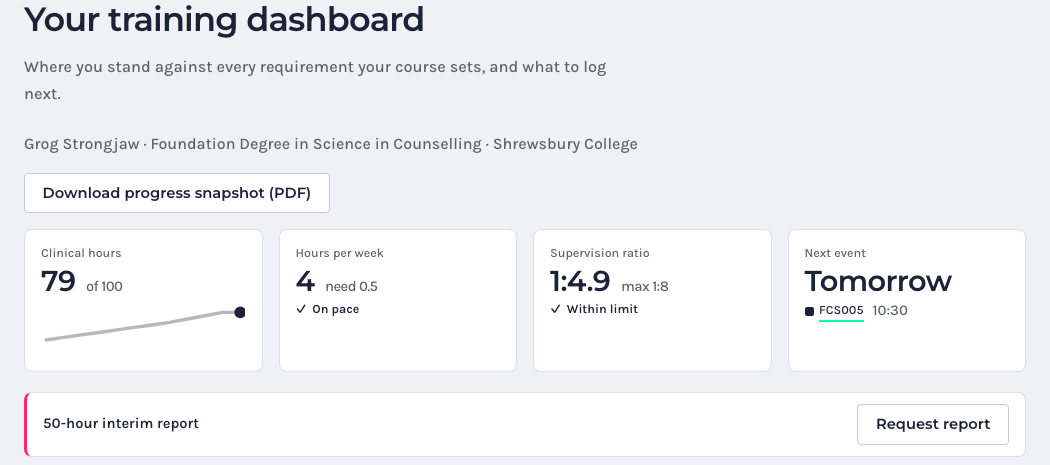
Along the top are four tiles:
- Clinical hours: how many you’ve logged against your course’s target, with the last 12 weeks as a small chart.
- Hours per week: the pace you need to finish by your course end date, and whether you’re on pace.
- Supervision ratio: your ratio against your course’s maximum, and whether you’re within it.
- Next event: what’s coming up next in your calendar.
When you reach a milestone, such as the 50-hour interim report, a banner appears with a Request report button.
Below that:
- Your Day: today’s sessions and your client hours this week.
- Course Progress: your placements, hours, next milestone and a chart of your progress against the pace you need.
- Personal Development: your supervision for the next four weeks, your ratio and your personal counselling hours.
- Wellbeing: your recent check-ins and when you last wrote in your journal.
Download progress snapshot (PDF) gives you a PDF summary of where you stand.
For qualified counsellors: your practice dashboard
When you first sign up, an Account setup card lists the things to do, such as setting your working week, connecting Stripe, adding your supervisor and uploading your insurance certificate. Tick them off one by one; the card goes away once you’re done.
For your attention lists anything that needs you, like an insurance certificate about to expire.
The tiles show Sessions this week (and how many still need confirming), Supervision this month, Bookings to approve and your Next event. Below them are Your Day, Supervision, Professional development and Wellbeing.
Can I change the layout?
Not yet. The dashboard arranges itself to fit your screen.