Logging supervision and your ratio
Log each supervision session and see how your supervision keeps pace with your client hours, the ratio your course requires.
Your course asks for a certain amount of supervision for the client work you do. This is your supervision ratio. ForCounsellors works it out for you from the supervision and client hours you log.
Add your supervisor
- In the menu, open Supervision.
- Under Supervisors, choose Add supervisor and enter their details.
You only need to do this once for each supervisor.
Log a supervision session
- On Supervision, choose Log supervision.
- Pick the Mode:
- Individual: just you and your supervisor.
- Group: a supervisor with several supervisees. Enter the group size.
- Peer group: supervisees together with no supervisor present. Enter the group size.
- Pick your supervisor (not needed for a peer group), then the date, start time and length.
- Choose Log supervision to save.
For group sessions, your share of the time is worked out from the group size. If your course counts it differently, enter your own figure under Apportionment override (minutes).
What the ratio means
Your course sets the ratio, for example one hour of supervision for every six client hours. We show it as 1:6: six client hours for each hour of supervision. A lower second number means more supervision, which is better.
Until you have logged at least one hour of supervision there is no ratio yet, so you will see a dash.
Where to see it
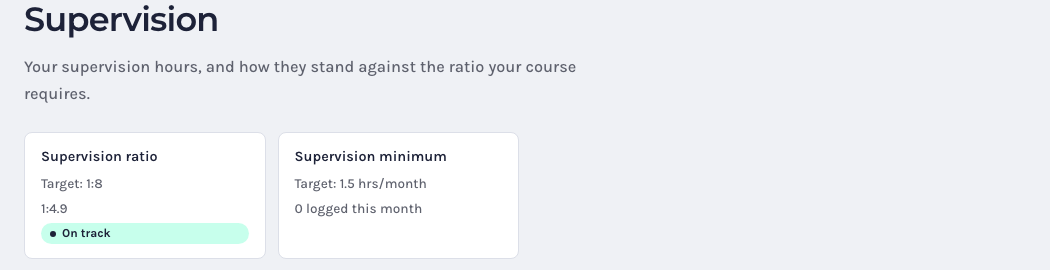
- Supervision shows your current ratio against your course’s target, marked On track, At risk (one more client hour would take you over) or Below minimum.
- Your Dashboard shows the Supervision ratio tile, and looks four weeks ahead at the sessions you have booked. If your supervision is not keeping up with your client work, a warning appears at the top of the dashboard so you can book supervision in time.